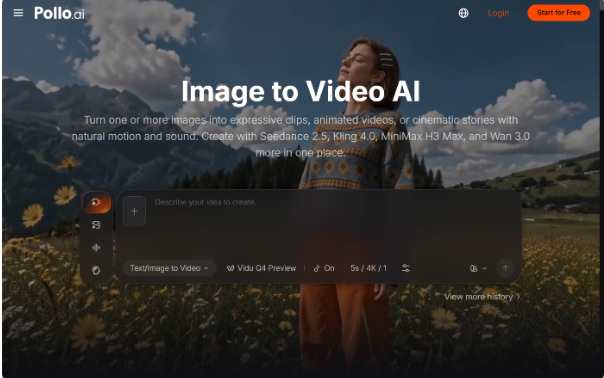
You do not need to know video editing to start experimenting with animated photos. If you already have a portrait, travel picture, or product photograph, you have a starting point for creating a short social video.
Pollo AI gives beginners a straightforward way to explore AI image to video creation, turning an existing photo into a moving scene through simple motion prompts and camera instructions. No advanced video editing experience is needed to start experimenting.
What Is an Image-to-Video AI Workflow?
Image-to-video generation uses an existing picture as the visual reference, while a prompt describes how the scene should move. A portrait might gain a subtle head turn, while a landscape could include drifting clouds or a slow camera pan. Results depend on source quality, prompt clarity, and the selected model.
Step 1: Choose the Right Starting Photo
The source image has a major influence on the final video. Begin with a photograph that has a clearly visible subject and a composition that supports the movement you want.
Good starting options include:
- A portrait with a clearly visible face and upper body.
- A travel photograph with an interesting foreground and background.
- A product image with recognizable shape and surface details.
- A lifestyle photograph showing a person in a simple setting.
- An illustration or character image with a distinct visual style.
Avoid starting with a heavily compressed image or one where the subject is difficult to distinguish. A clean source gives the generation model a more useful visual reference.
For portrait-based videos, a face enhancer can help improve facial clarity before animation. This is particularly useful when the original image is soft or has limited facial detail. Keep the adjustment natural so the resulting video still resembles the person in the source photograph.
Step 2: Write a Simple Motion Prompt
A good prompt explains what should move and how the camera should behave. Beginners often make the mistake of adding too many actions, styles, and effects in one instruction.
A useful starting formula is:
Subject + Action + Camera Movement + Lighting + Visual Style
For example:
“Animate a young woman standing in a sunlit garden. Her hair moves gently in the breeze while she slowly turns toward the camera. Use a subtle camera push-in, warm natural lighting, and a realistic cinematic style. Keep her facial appearance and clothing consistent.”
Each part has a specific purpose:
- Subject: Identifies the main person or object.
- Action: Explains what should happen during the clip.
- Camera movement: Guides how the viewer sees the scene.
- Lighting: Establishes the atmosphere.
- Visual style: Defines the overall appearance.
You do not need to use every element in every prompt. A product image may need a slow rotation and controlled lighting, while a landscape may only require environmental movement and a gentle camera pan.
Step 3: Generate Your First Video with Pollo AI
Once your photo and prompt are ready, open Pollo AI and choose an appropriate image-to-video workflow.
Upload your source image and enter the movement instructions. Depending on the selected model, you may have different generation options and controls.
If you are unsure which model to use, begin with a simple prompt and compare available options. Different models can interpret the same visual direction differently, so treat the first result as a starting point rather than a guaranteed final version.
Keep your initial experiment simple. A portrait with one subtle movement or a landscape with gentle environmental motion is easier to evaluate than a scene involving multiple characters and complicated interactions.
Step 4: Review and Refine the Result
After generation, watch the entire clip rather than judging it from the opening frame alone.
Pay attention to:
- Subject consistency: Does the person or product remain recognizable throughout the video?
- Movement quality: Do actions look natural, or are there sudden changes in body proportions and object shapes?
- Camera behavior: Does the camera movement support the subject, or does it create unnecessary distraction?
- Background stability: Look for unexpected changes, flickering, or visual distortion.
- Overall composition: Does the video retain the visual qualities that made the original photo appealing?
If something looks wrong, adjust one element at a time. For example, reduce the number of requested actions or replace a fast camera orbit with a slower push-in. This makes it easier to understand which prompt change improves the result.
Step 5: Explore Different Ways to Animate a Photo
Standard image-to-video generation is not the only way to create movement from a still picture.
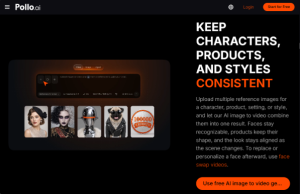
For example, Pollo AI’s mimic motion lets users provide a static character or portrait image together with a reference video. The system uses the reference movement to animate the subject.
This is useful when you want a character to imitate a dance, gesture, or pose rather than generate movement entirely from a written description. Image-to-video uses a prompt to guide generated motion, while motion imitation uses an existing video as a movement reference. Choose the method that best matches your creative idea.
Step 6: Prepare Your Video for Social Sharing
Once the visual result is ready, consider how it will appear on the platform where you plan to publish it.
A few finishing checks can make a difference:
- Choose a suitable aspect ratio for the intended platform.
- Make sure the opening frame clearly introduces the subject.
- Check that captions and other text are readable on mobile screens.
- Add suitable audio or narration when it supports the message.
- Review the final clip for unexpected visual changes.
Do not assume that every generated video is automatically ready for publication. Depending on the project, you may still need to adjust timing, captions, audio, or composition.
Final Takeaway
Creating a social video from a photograph does not have to begin with filming or complicated editing software. Choose a clear image, describe one or two meaningful movements, generate a clip, and refine the result based on what you see.
Pollo AI gives beginners a practical way to experiment with image-to-video workflows and turn existing photos into new visual content. Start with a simple idea and build your confidence through small creative experiments.
