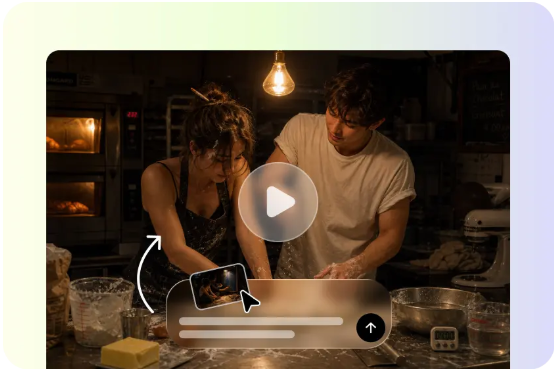
The Challenge: A single outfit photo, however well thought-out, seldom portrays the true essence of clothing in the same way a transition does. For a long time, fashion content makers have been creating their content strategies around this moment in time, yet a good transition still requires effort, mature editing, and possibly several attempts.
The Solution: Fortunately, the Pippit Seedance 2.5 allows creators to come up with any outfit transition sequence without the need to shoot it themselves.
Before: The production process of transition outfit content
One had to take a lot of care while still shooting the transition, from timing the snap to lighting conditions, to sometimes even having several failed attempts to strike the right chord in their efforts. If for creators who have editing skills it’s quite easy to make everything match without problems, for others it makes for an even bigger hassle and headache on top of filming.
After: what’s possible with generated transitions
- A transition sequence can now be generated directly from two outfit photos, without ever filming the actual movement.
- Lighting and background stay consistent automatically, since the same reference is used throughout.
- Multiple transition styles — a spin, a snap, a walk-through-doorway reveal — can be tested quickly without reshooting.
- Creators without any editing software can still produce a polished, trend-ready result.
How the process actually works
Step 1: Upload both outfit looks
Open Pippit’s Video Generator, select Seedance 2.5, and upload photos of both outfits — the “before” and the “after.” Write a time-stamped prompt describing the transition.
For example: Create a 12-second outfit transition video. 0–4 seconds: model stands confidently in a casual everyday outfit, natural lighting. 5–7 seconds: a quick spin transition with a dramatic lighting shift. 8–12 seconds: end on the model in a glamorous evening outfit, striking a confident final pose.
Step 2: Time-mark the transition moment
Use time-stamped prompts to control exactly when the transition happens — a natural pose in the opening seconds, the transition motion precisely timed at the midpoint, a confident final pose to close. Review the draft closely, since the transition’s timing is the single most important detail in this format — even a slightly early or late cut noticeably weakens the effect.
Step 3: Extend for a multi-outfit sequence, then export
If you want to showcase more than two looks, use the extension feature to add another transition beat, continuing the sequence without regenerating the earlier part. Export in the vertical format that performs best on the platform you’re posting to.
Comparing this to traditional filming
| What you needed before | What you need now |
| Multiple takes to time a snap or spin | A single generation with time-marked prompts |
| Consistent lighting across two filmed setups | Automatically consistent lighting from reference photos |
| Manual video editing to cut the transition | Built-in generation and refinement in one tool |
| A second person to help film certain angles | No filming required at all |
Building a series instead of a single post
A single transition video performs well once, but a themed series — a week of outfit transitions, a “get ready with me” arc, a seasonal wardrobe rotation — keeps an audience returning.
Relied on this way, Pippit acts as a genuine AI video generator for a creator’s entire content calendar, not a one-off effect. Keeping a consistent transition style and pacing across the series helps it read as a cohesive content format rather than a one-off trend attempt.
What makes Seedance 2.5 well suited to this format
Fixed duplication issues for clean transitions
Previously known “twin” duplication problems have been addressed, which matters for transition content where an accidental double render would completely break the illusion of a single smooth change.
Realistic motion for a believable transition
Improved physics-aware motion rendering helps fabric, hair, and body movement during a spin or snap feel natural, which is what actually sells the transition rather than making it look artificial.
Multimodal input for style consistency
Uploading both outfit photos together in a single generation, supported by the model’s expanded multimodal input, keeps the transformation visually anchored to the real outfits rather than drifting into a generic result.
Nailing the sound cue with SeedAudio 1.5
The snap or spin moment in a transition video depends heavily on sound landing exactly on beat, and SeedAudio 1.5 can generate that precise sound effect timed to the visual transition. For creators without access to a trending audio clip that fits perfectly, generating a custom sound cue keeps the transition feeling sharp and satisfying regardless of what’s currently trending.
Choosing outfits that transition well
Not every outfit pairing creates an equally strong reveal. Pairings with a clear visual contrast — casual to formal, muted to bold color, simple to elaborate — tend to create the most satisfying “after” moment. A transition between two very similar looks often falls flat simply because there’s not enough visual change to feel rewarding.
Give every outfit its reveal moment
The right transition can turn a simple outfit post into the kind of clip people rewatch just to catch the exact moment of the change. With Seedance 2.5 inside Pippit, fashion creators can produce that moment reliably, without the trial and error traditional filming demands.
Next time you’re planning an outfit post, it might be worth opening Pippit and letting your look have its reveal.
